
If you need to update your bound bank account, please follow the steps below:
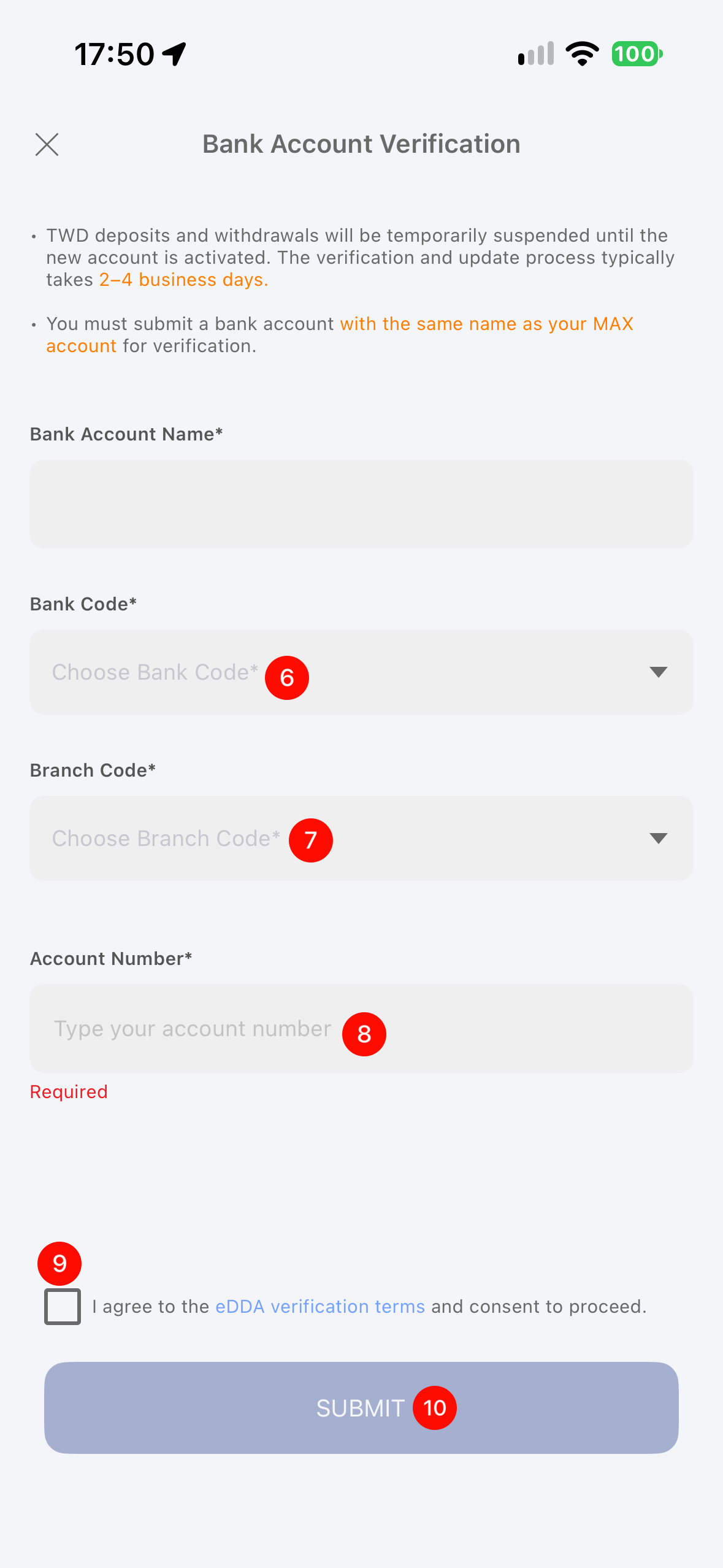
- Log in > tap User in the bottom-right corner > Bank Account > Set > Change to a new bank account > Change > enter your bank details > tap Submit.
⚠️ Reminder
- Changing bank accounts requires re-verification, taking 2–4 business days (excluding weekends and national holidays). The deposit/withdrawal features will be enabled 2 business days after verification is completed. TWD-related features will be unavailable during this period.
- Please provide the account name, account number, and branch code as shown on your bank passbook. Some banks use 3 or 4 digits of the branch code as the beginning of the account number; please do not omit them.
- When selecting branch information, please prioritize the branch code. If you cannot find your branch in the system, please do not select an incorrect branch and contact Live Chat for assistance.
App Instructions
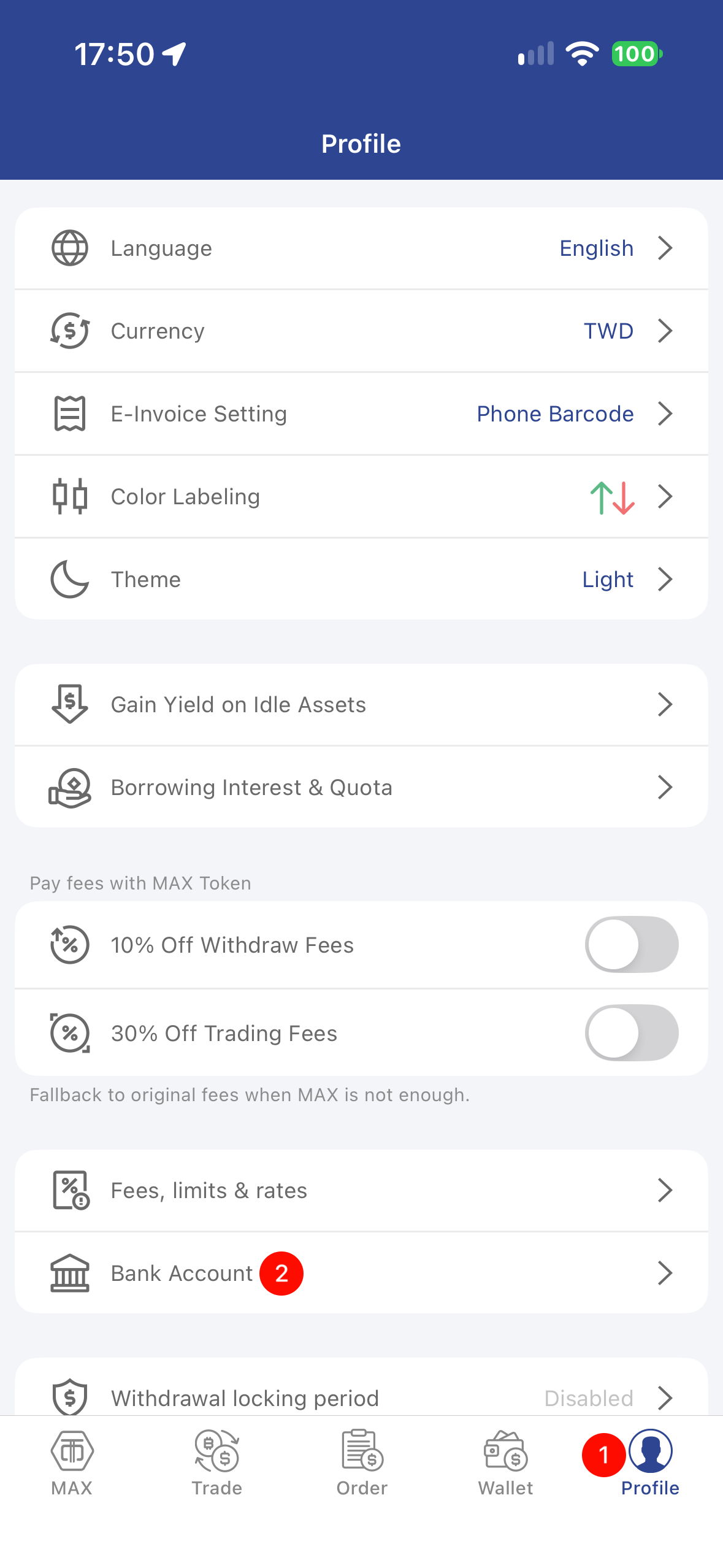 | 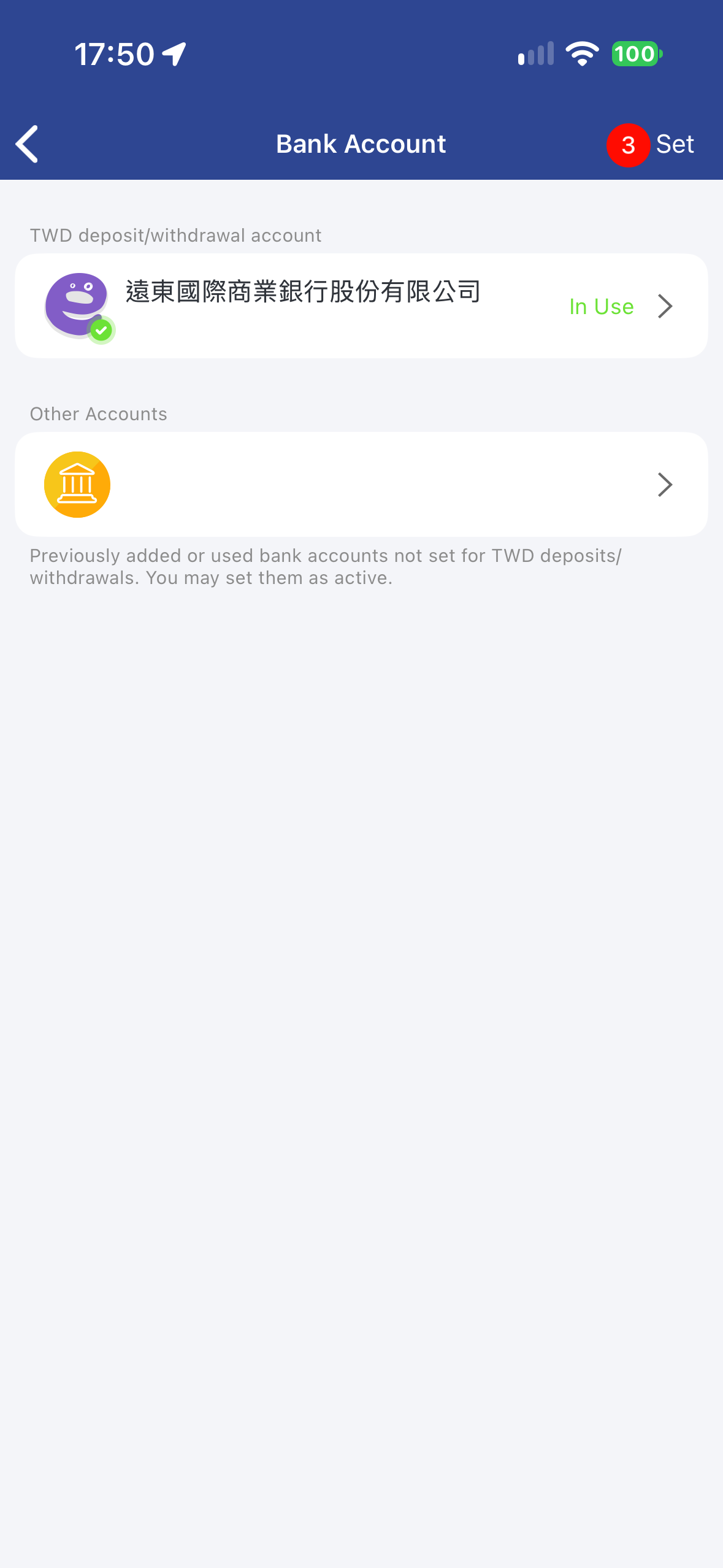 | 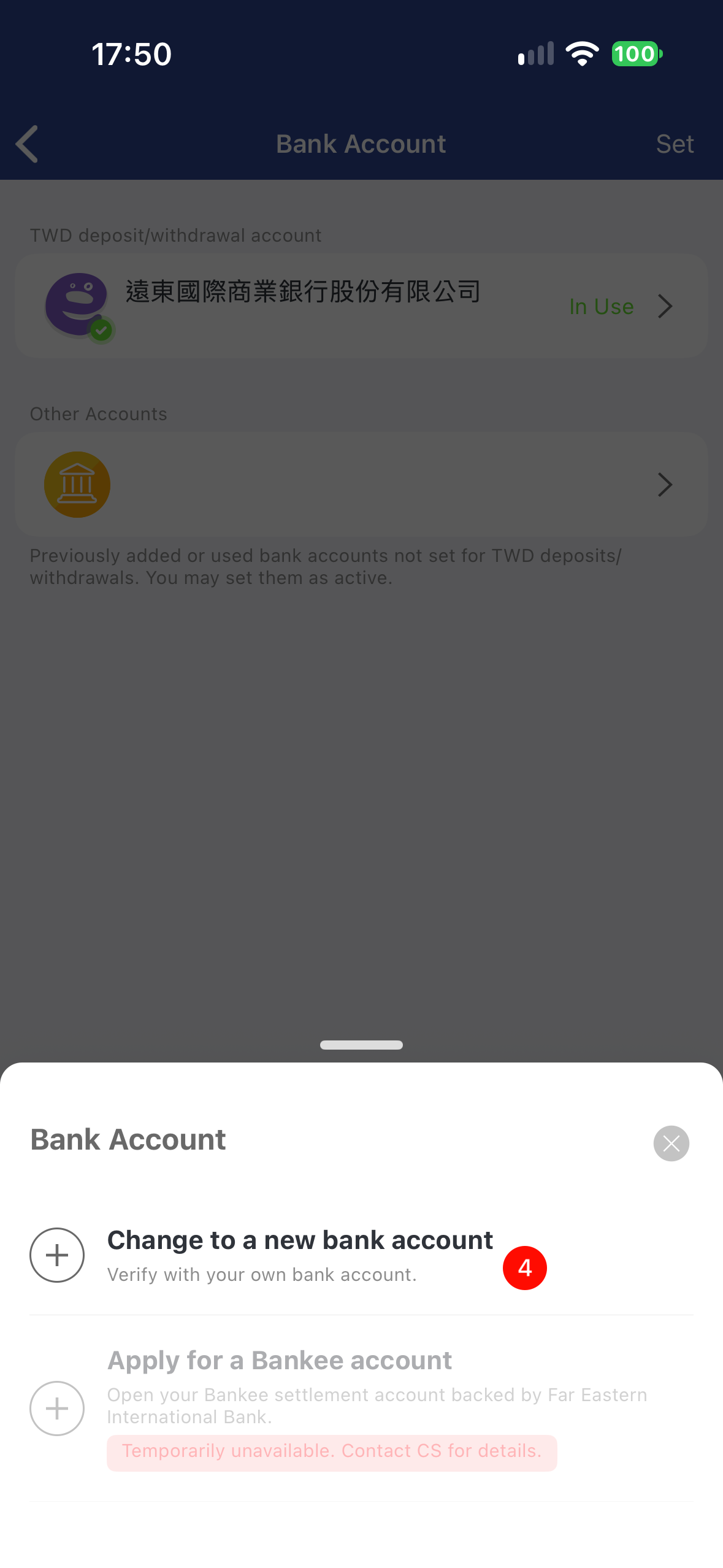 |
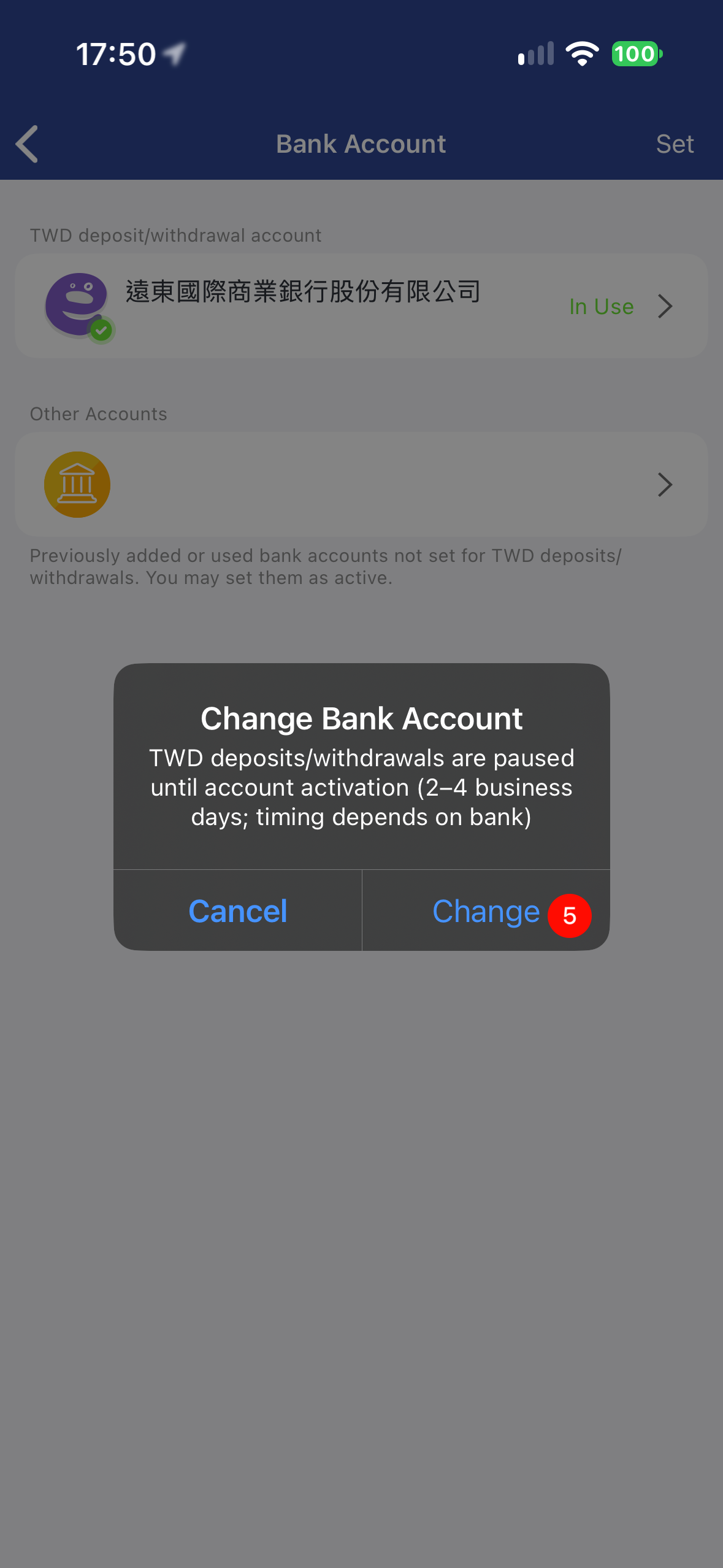 |  |