MAX will issue an invoice to you within 1 to 3 business days after the transaction is completed.
- You can go to the ezPay E-Invoice Value-Added Center / Help Center / Search Area and enter the invoice details to perform a single invoice search.
- Alternatively, 48 hours after the invoice is issued, you can visit the E-Invoice Integrated Service Platform of the Ministry of Finance to search for invoice details.
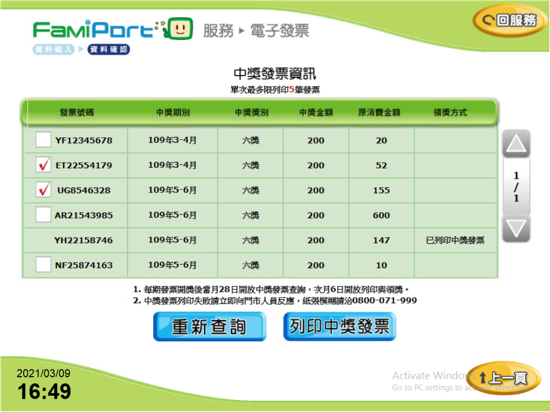
- If your invoice wins a prize, you can print the winning invoice at a convenience store starting from the 6th of the month following the draw, and redeem your prize at physical redemption service locations.
Steps for Winners to Print Winning Invoices at [FamilyMart FamiPort]
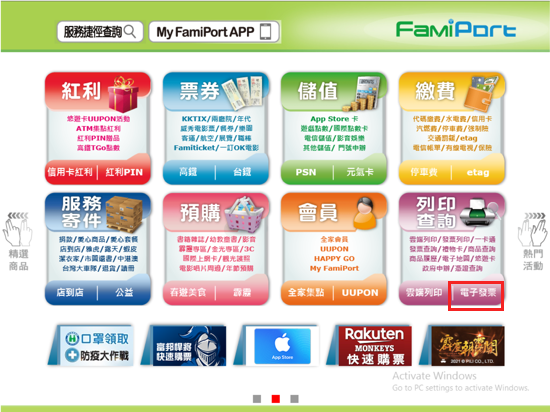
- Select "E-Invoice" to print/search
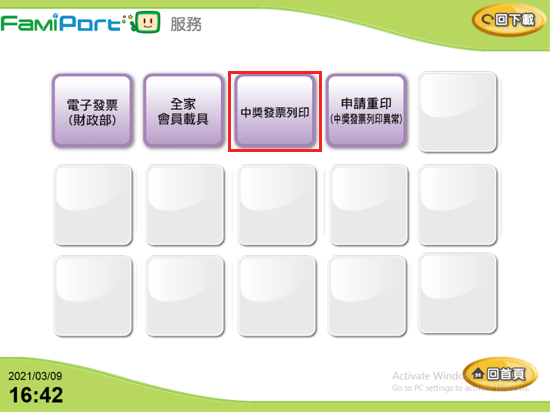
- Select "Print Winning Invoice"
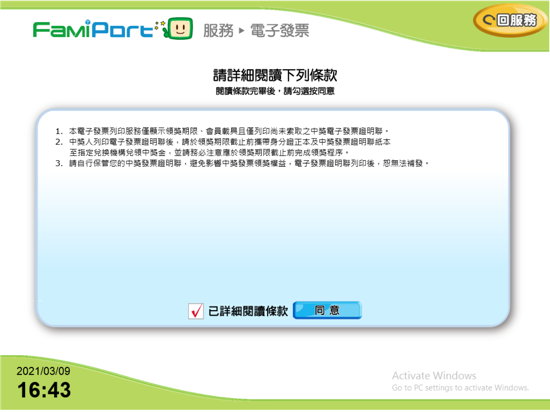
- Agree to the Terms of Service
- Select "Scan QR Code" or "Manual Entry of Invoice Details"
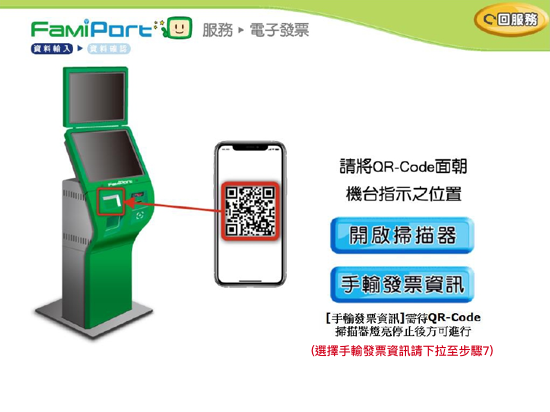
- Select "Scan QR Code" and tap "Open Scanner"
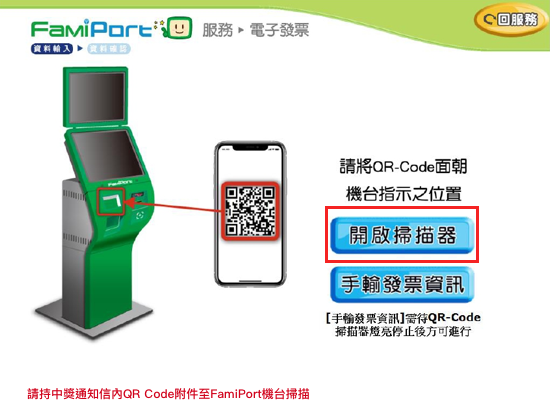
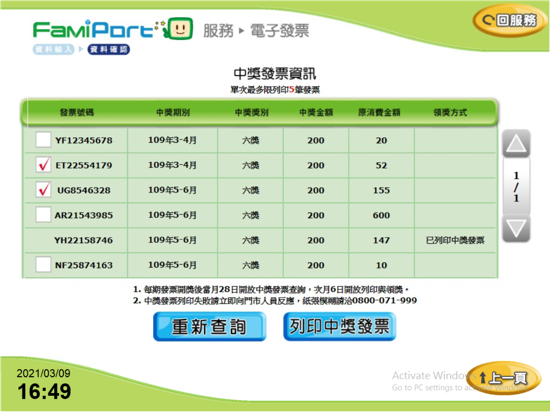
- Print the winning invoice
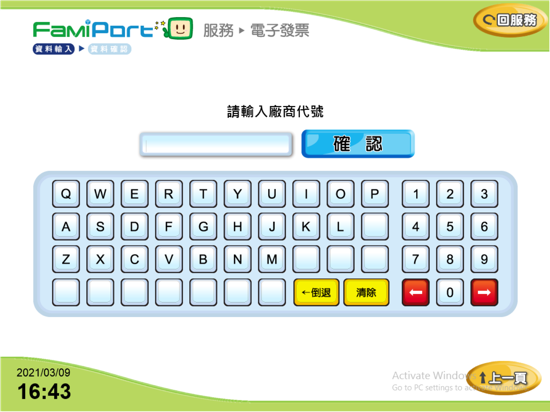
- Select "Manual Entry of Invoice Details" and enter the Merchant Code (ezPay Merchant Code: 575004)
- Enter invoice details: Invoice Number, Date of Issue, and Random Code
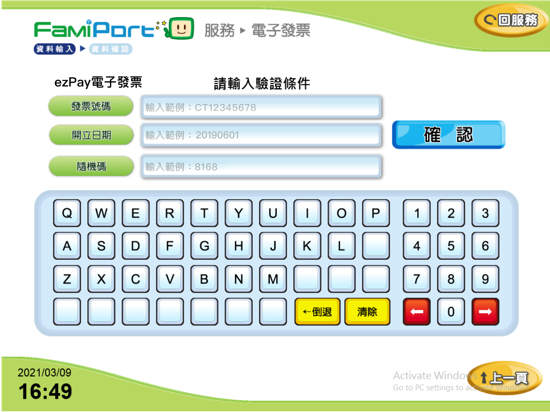
- Print the winning invoice