
If you receive an incorrect password error when logging in, please verify that your password matches the required format. Passwords must contain a combination of uppercase letters, lowercase letters, and numbers.
Please follow these steps to reset your password:
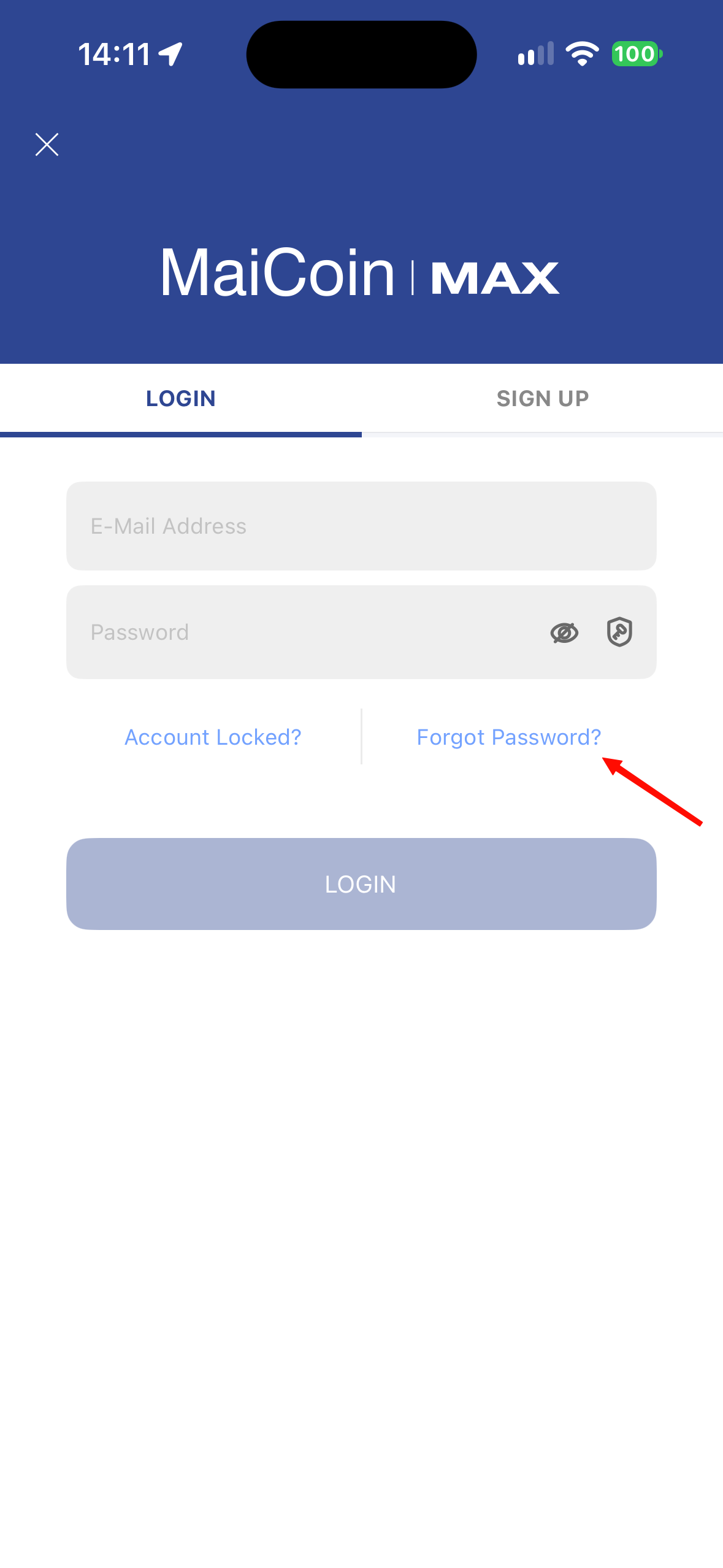
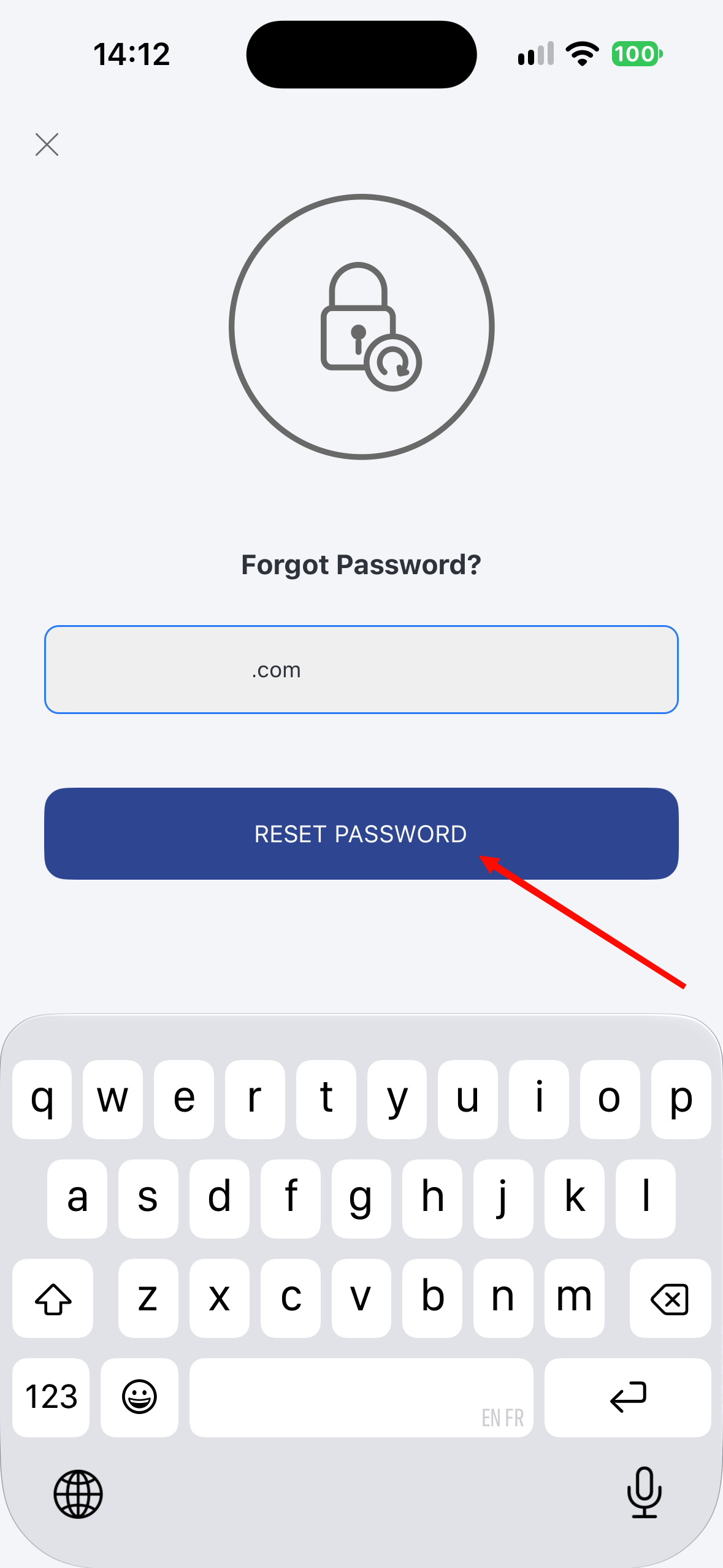
- Go to the login page, click Forgot Password > enter your registered email address > click Reset Password.
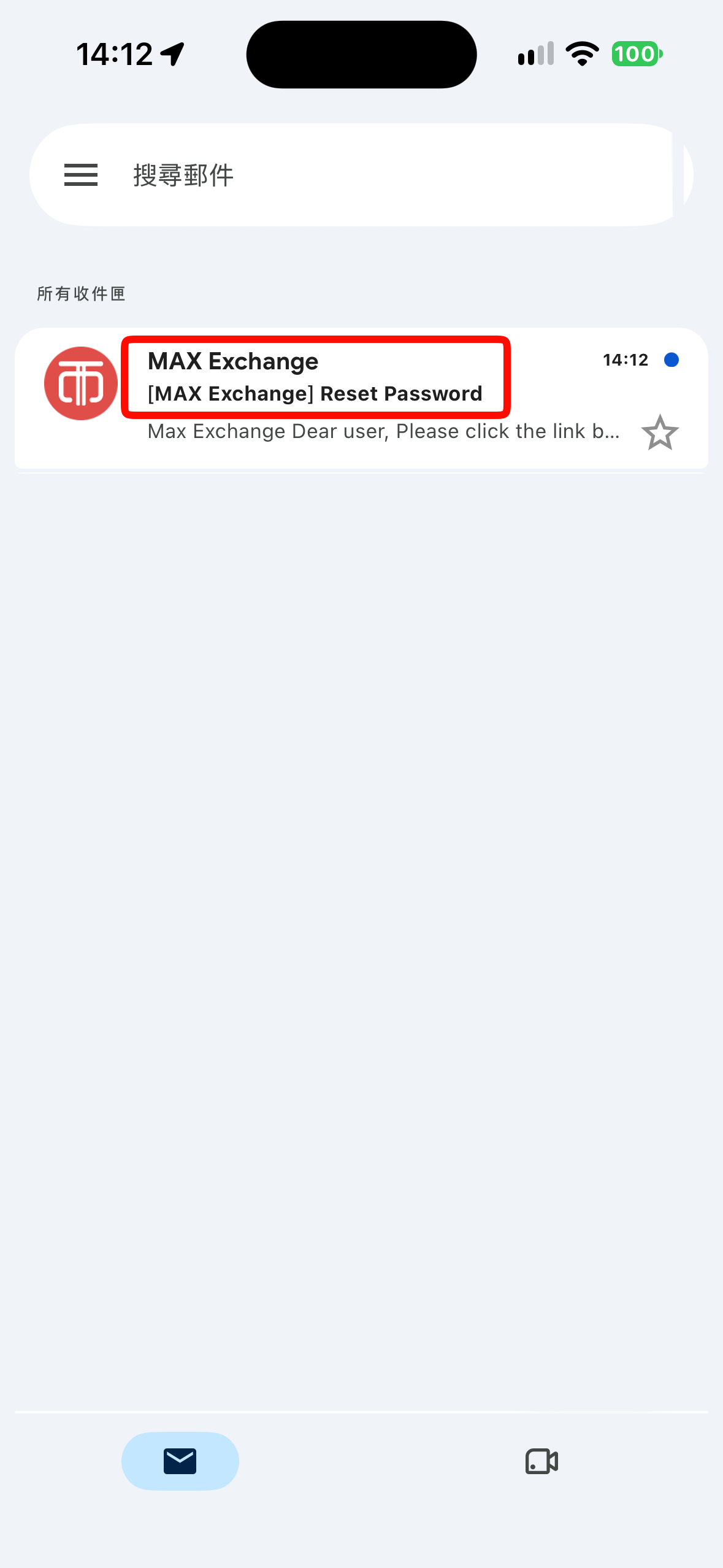
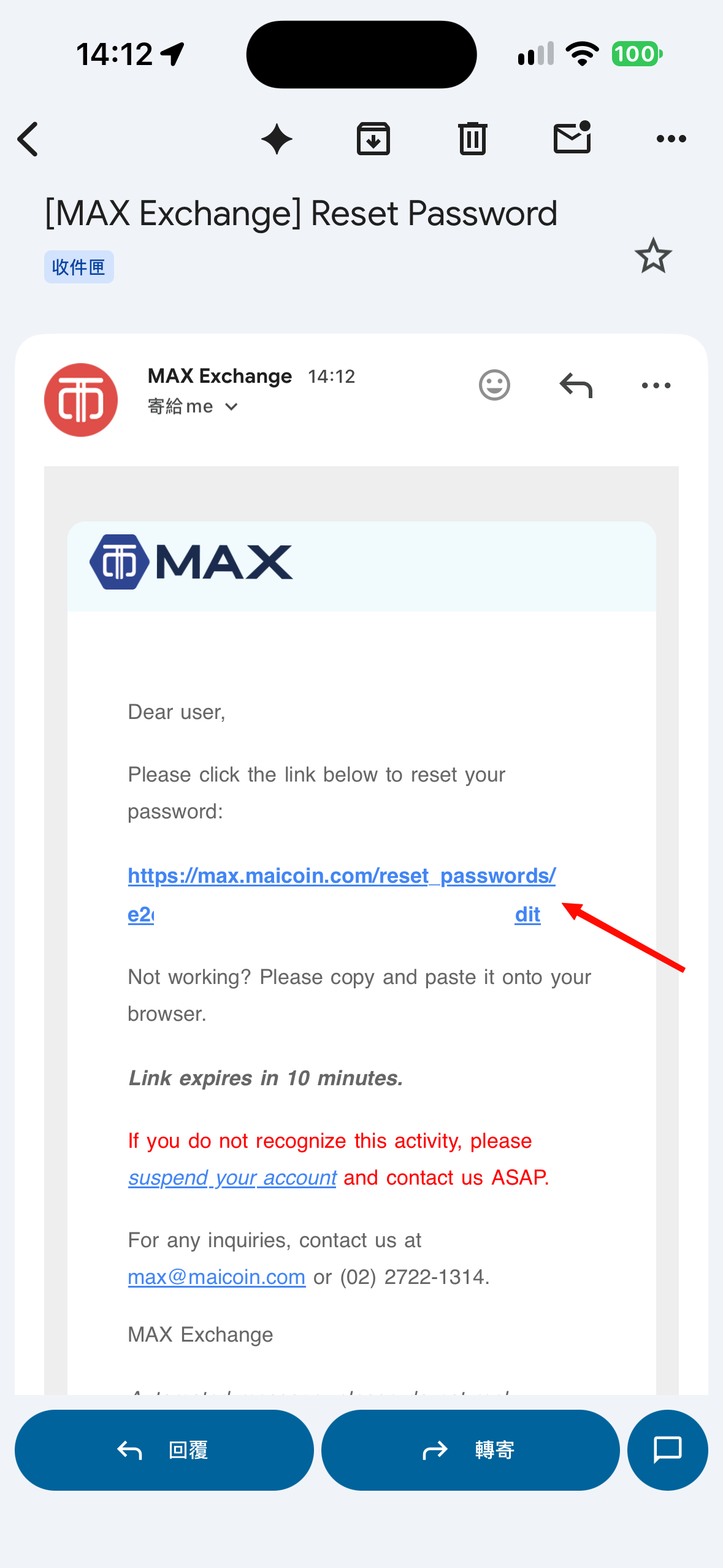
- Check your inbox for an email titled "[MAX Exchange] Reset Password" > click the verification link in the email to access the password reset page.
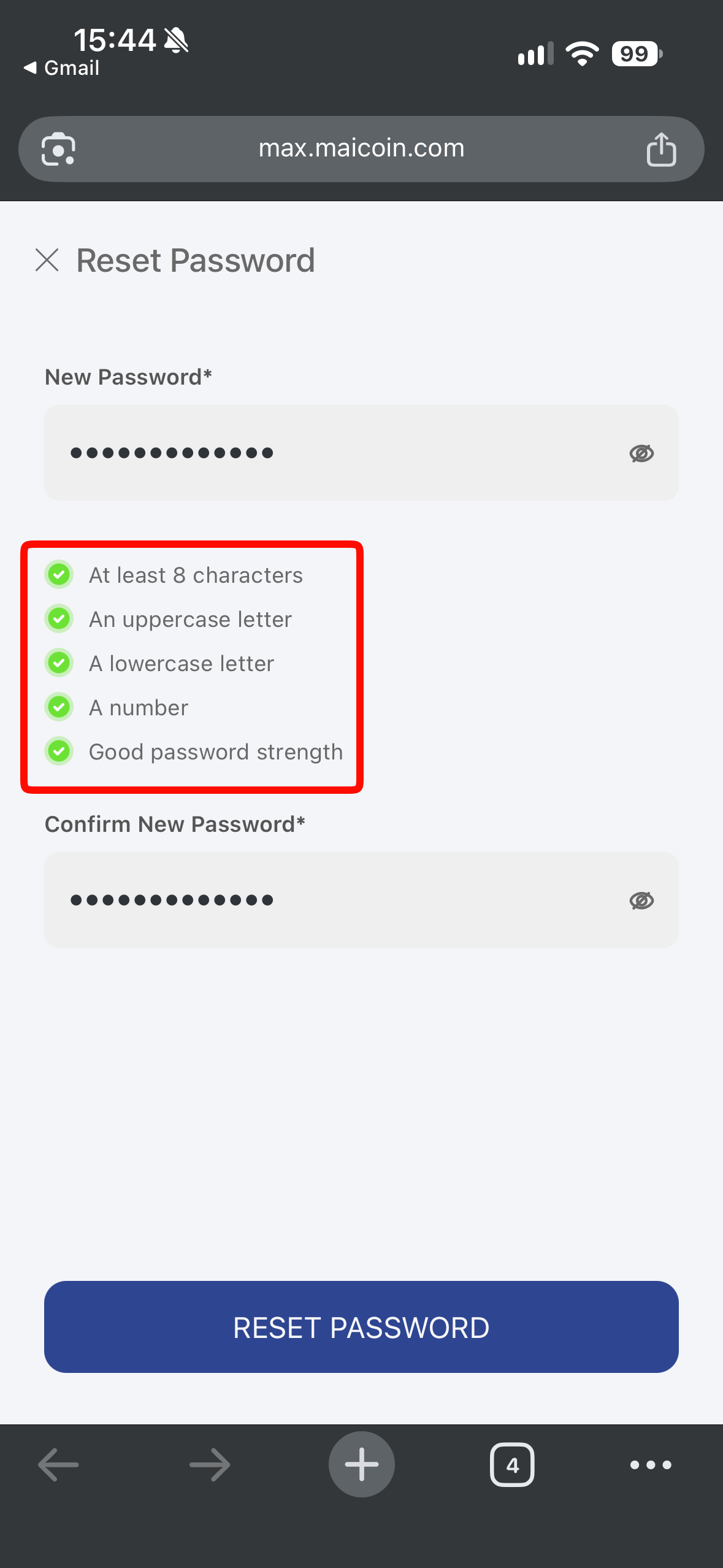
- Enter your new password in both the New Password and Confirm Passwordfields, ensuring it meets the following requirements:
- At least 8 characters
- Includes uppercase letters
- Includes lowercase letters
- Includes numbers
- Has sufficient password strength
- Click Reset Password, then enter your Two-Factor Authentication (2FA) code (SMS verification code or Google Authenticator code).
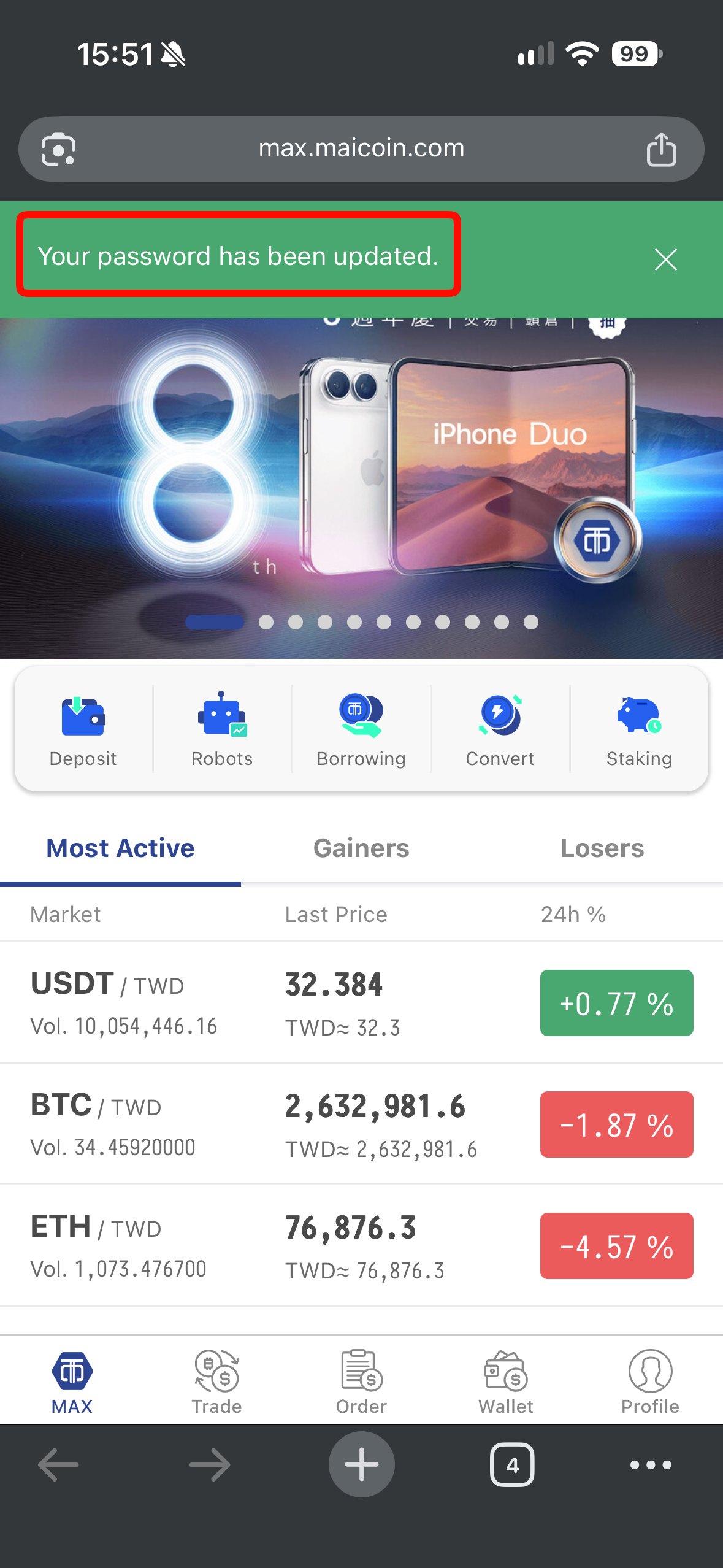
- Once the screen displays "Your password has been updated." you can log in with your new password.
Please note: For security purposes, withdrawals will be suspended for 24 hours starting from the time your password is reset.
If an error message appears while resetting your password, please check the following:
- Password Confirmation Error: Verify that the passwords entered in both fields match exactly.
- Length & Character Requirement: Ensure your password is at least 8 characters long and includes numbers, uppercase letters, and lowercase letters.
- Password History: The new password must be different from your previously used password.
- "Too many requests, please try again later": If this prompt appears on the Forgot Password page, please wait at least 5 minutes before trying again.
App Instructions
 |  |  |
 |  |  |