
Before making a withdrawal, please read the following notes:
- When withdrawing virtual assets from MAX, please refer to Coin Withdrawal Limits, Withdrawal Fees, and the Travel Rule FAQ in advance.
- Withdrawal fees may be adjusted dynamically based on market conditions. Please refer to the fee displayed on the withdrawal screen.
- If you have enabled the Use MAX Token to Pay Fees feature, please make sure that your wallet contains a sufficient MAX Token balance. If the balance is insufficient, fees will be charged in the original asset.
Reminder:
- There are many types of networks and address formats for virtual assets. Before making a withdrawal, make sure that the network and address format match those of the recipient. If this is your first time, we recommend withdrawing a small amount first and withdrawing the remaining virtual assets only after confirming that the first withdrawal was successful.
- Due to the irreversible nature of blockchain transactions, successful withdrawals cannot be reversed or canceled. Please make sure that the recipient address and network are correct.
- Before withdrawing XRP, please confirm with the recipient whether a MEMO is required. Entering an incorrect MEMO will cause the withdrawal to fail.
Instructions
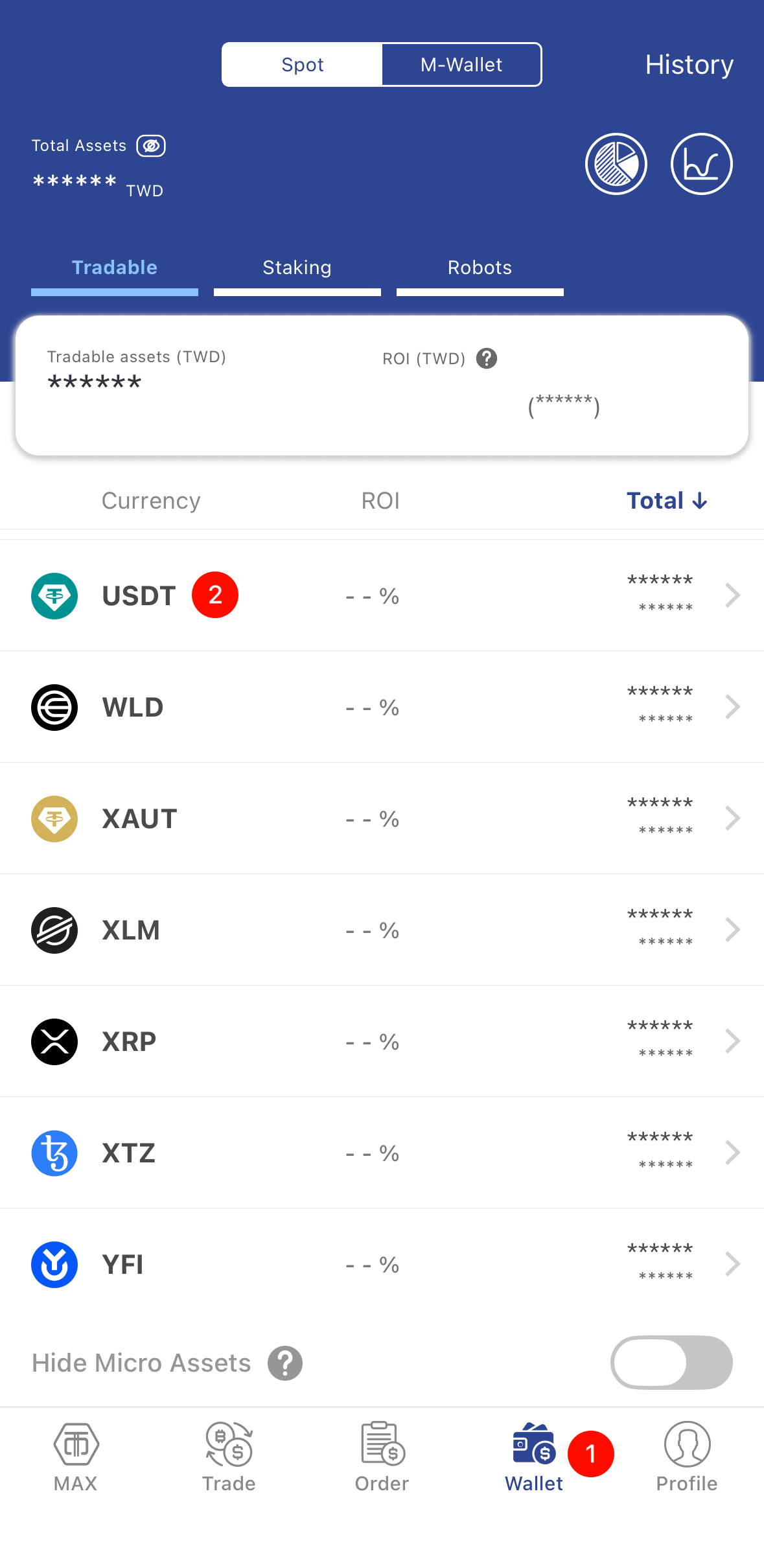
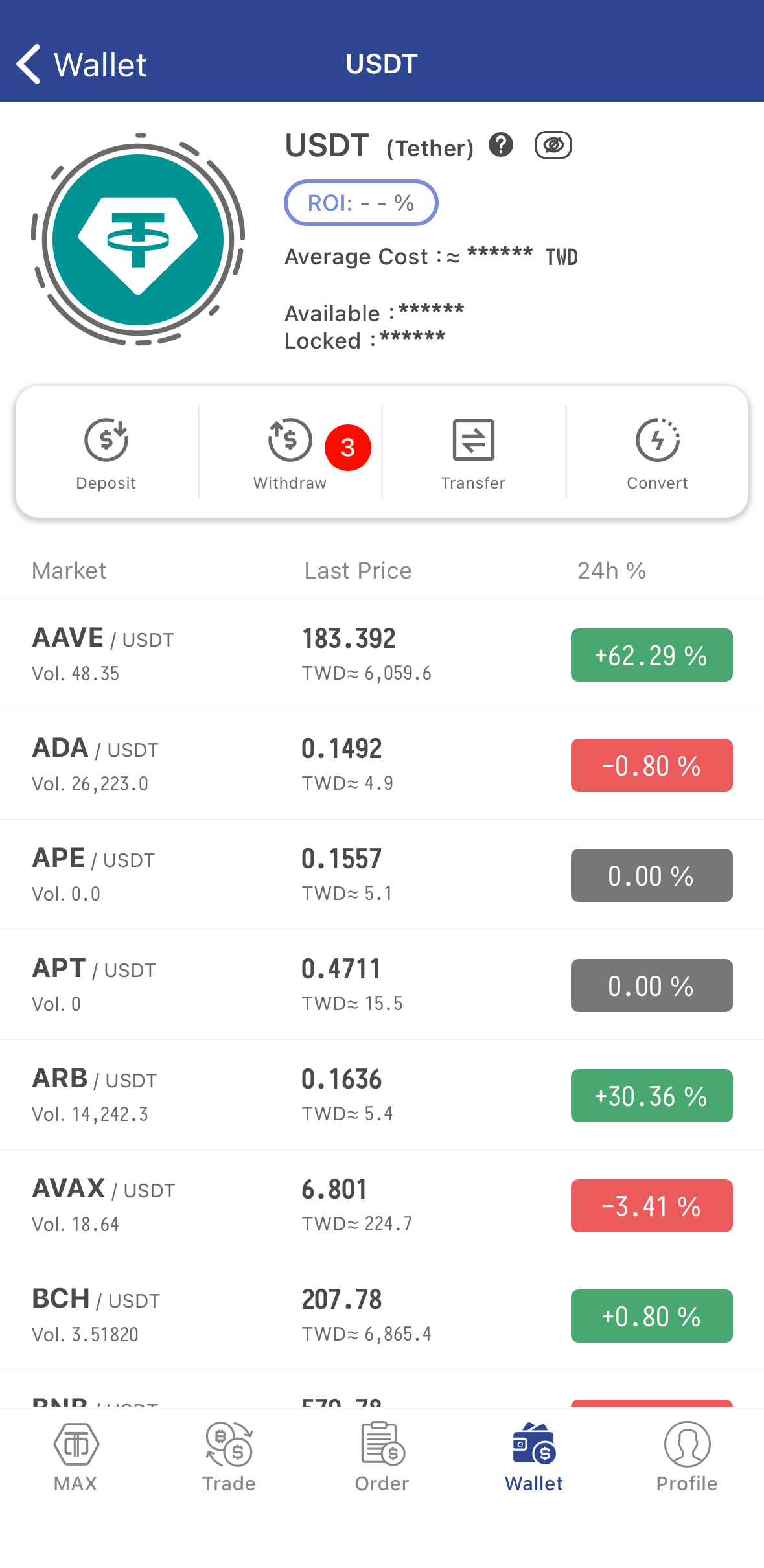
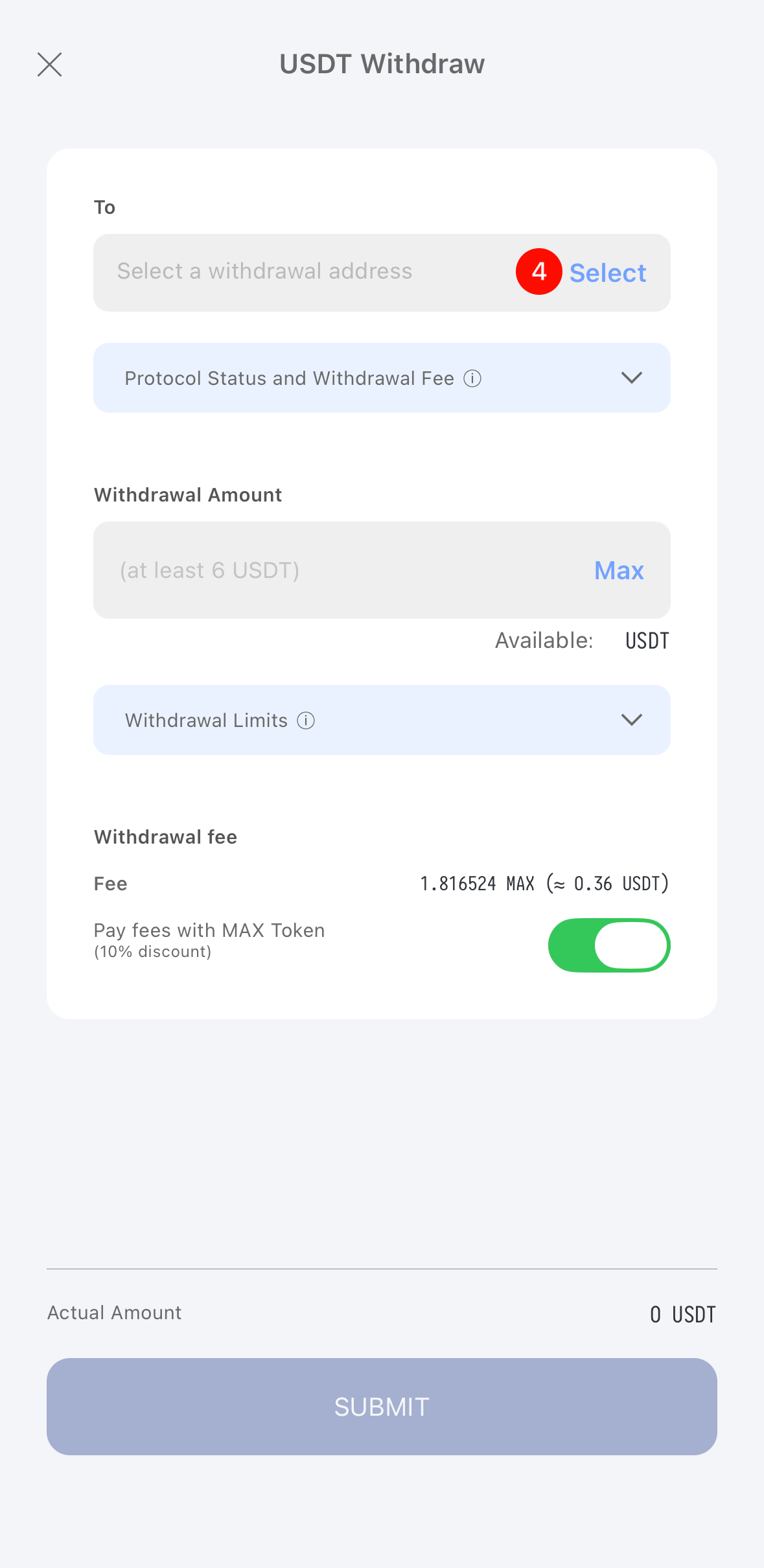
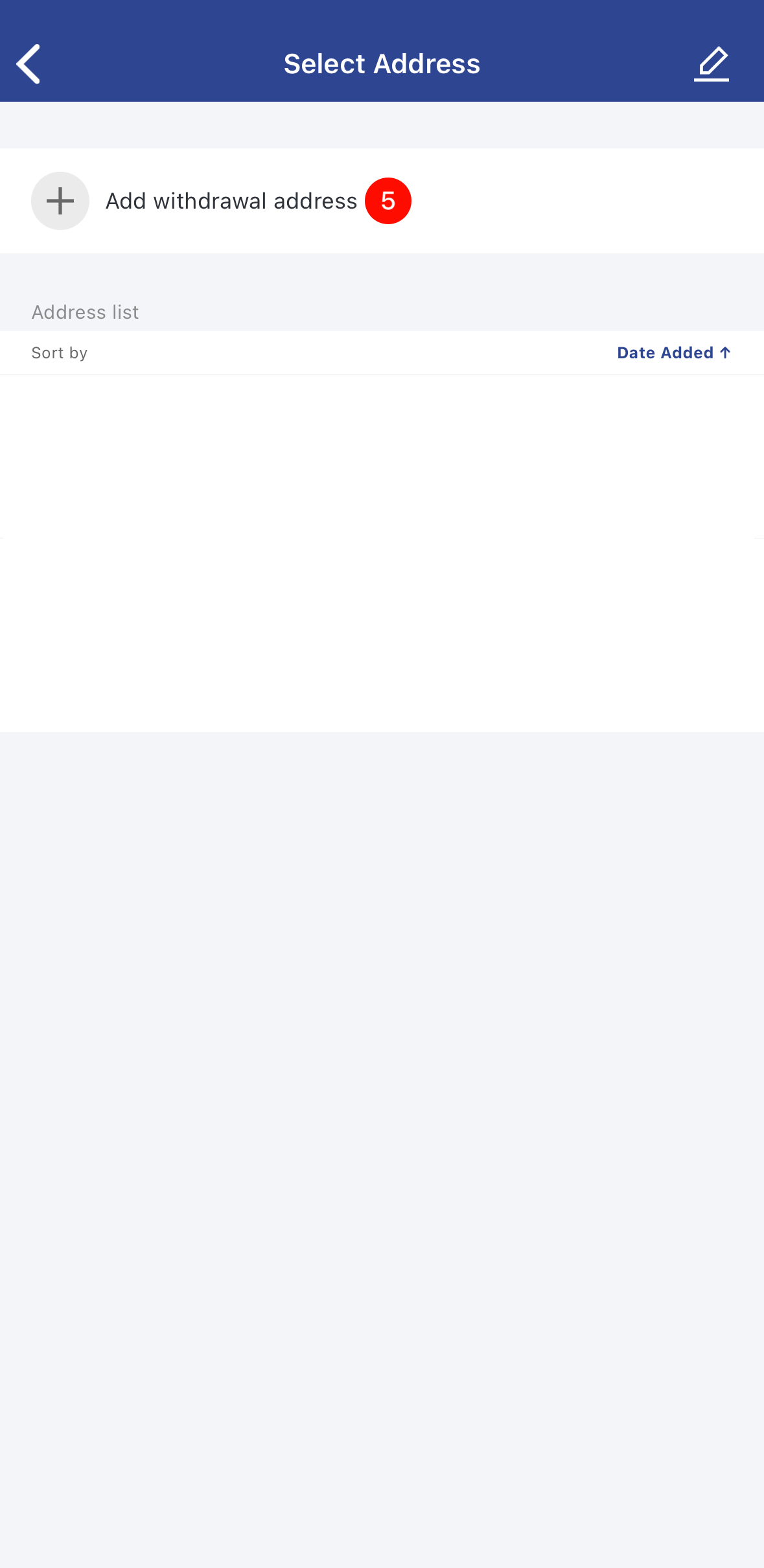
- Open the MAX App, tap Wallet > USDT > Withdraw > Select a withdrawal address.
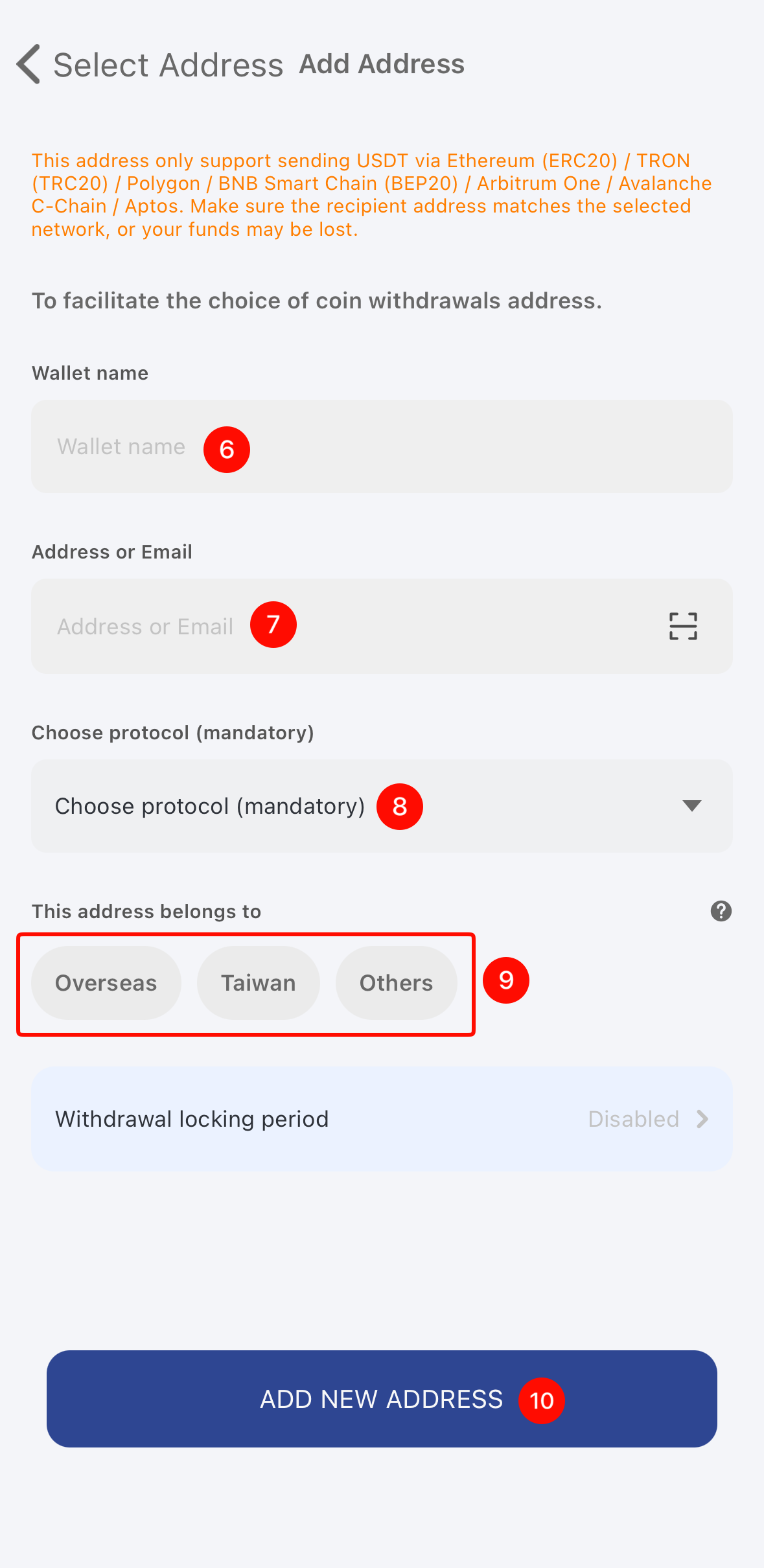
- Tap Add Withdrawal Address > enter the address information and confirm that all details are correct > tap Add New Address.
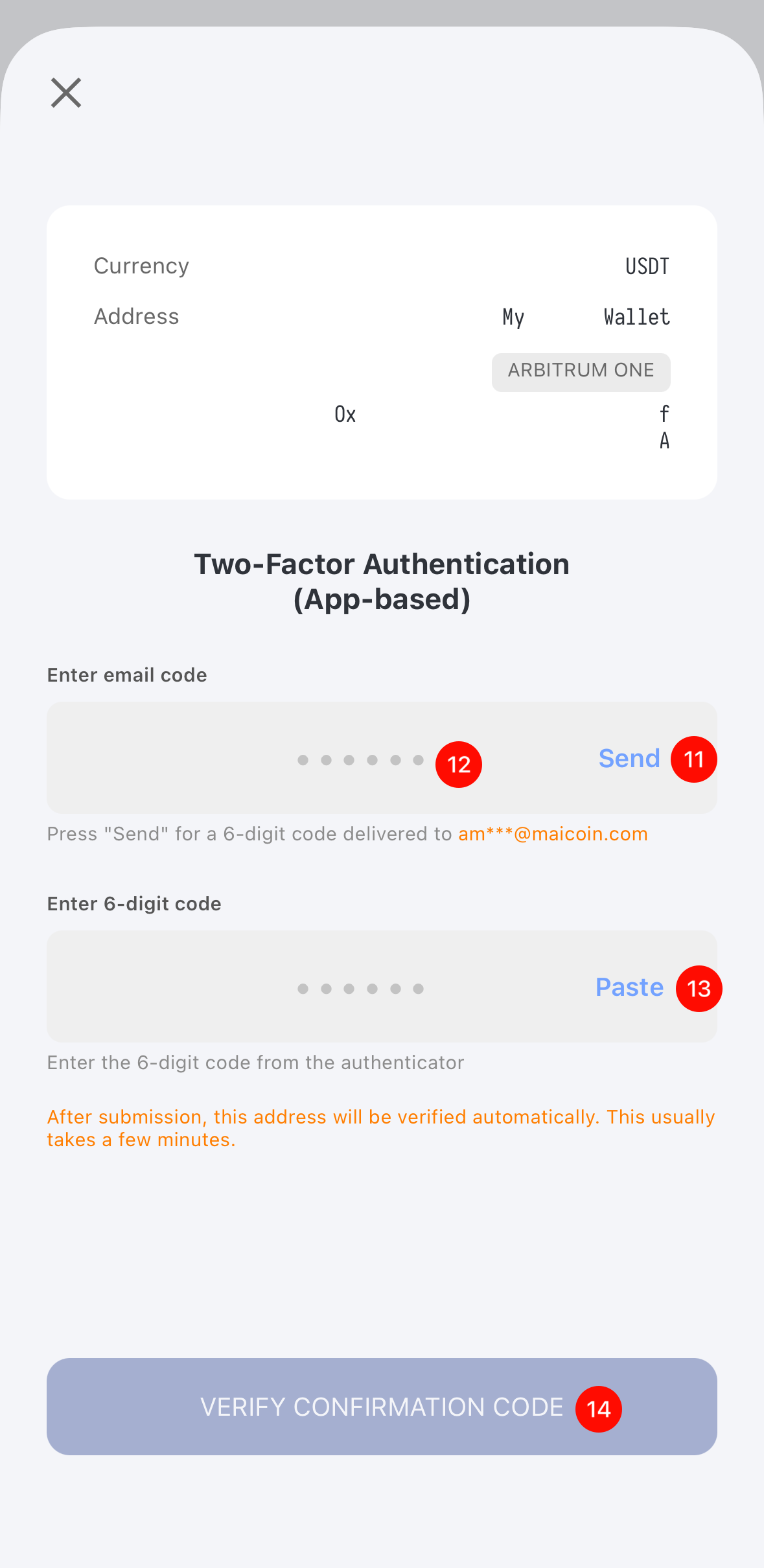
- Tap Send > go to your registered email inbox to retrieve the address-addition verification code, then return to the screen and paste it > enter the six-digit verification code sent via SMS or generated by your two-factor authentication app. After completing two-factor authentication, the address will be added.
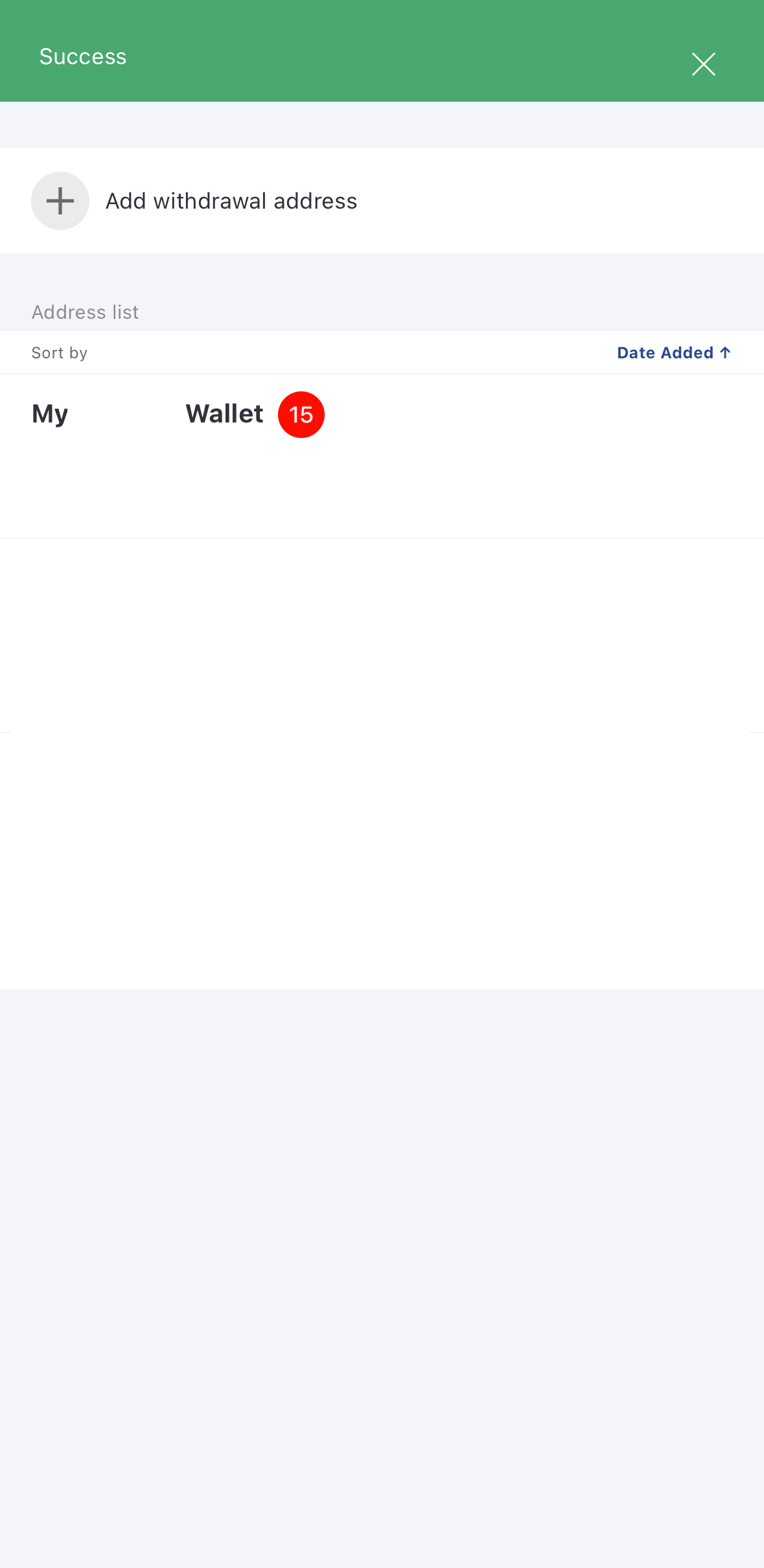
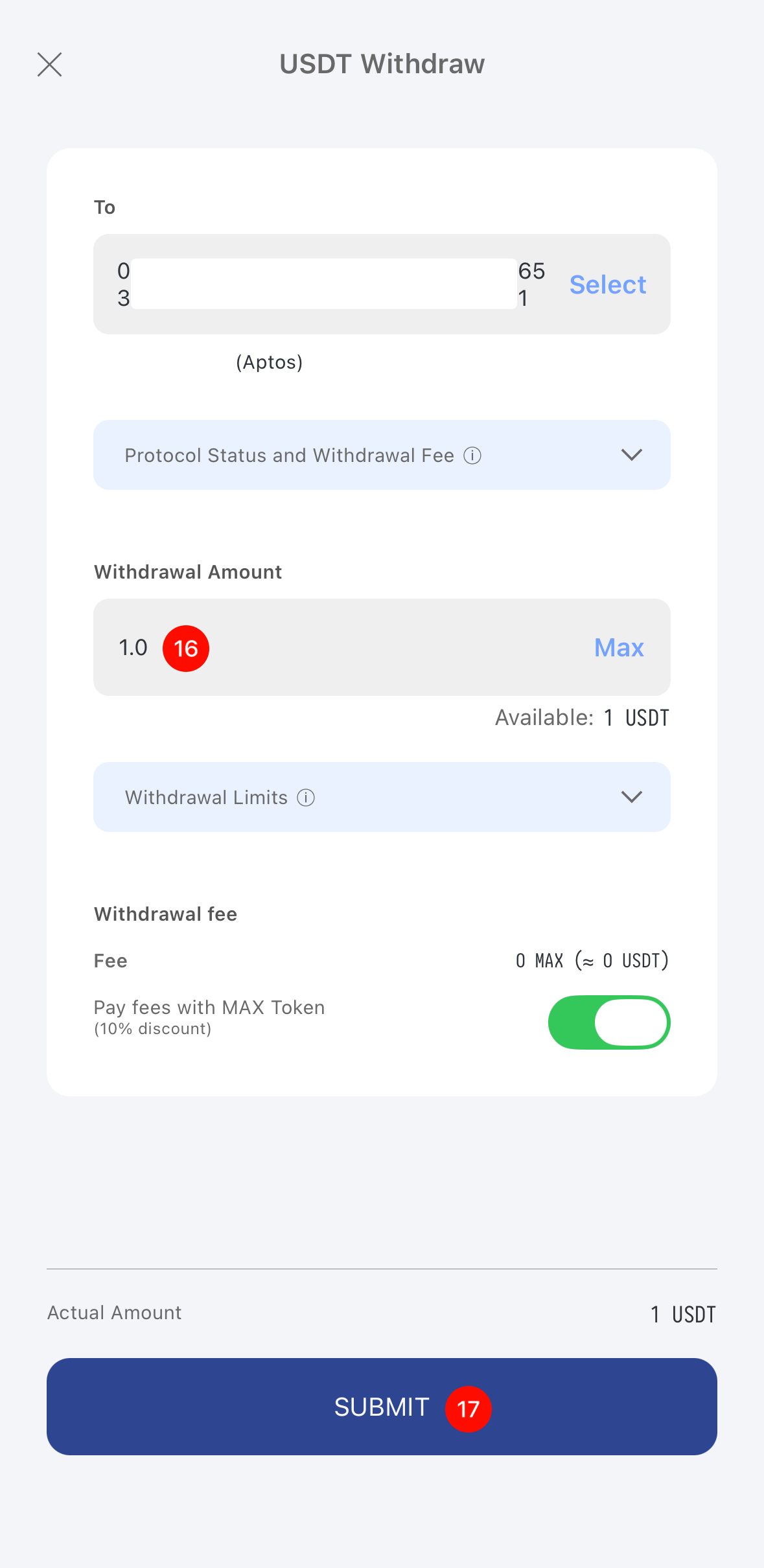
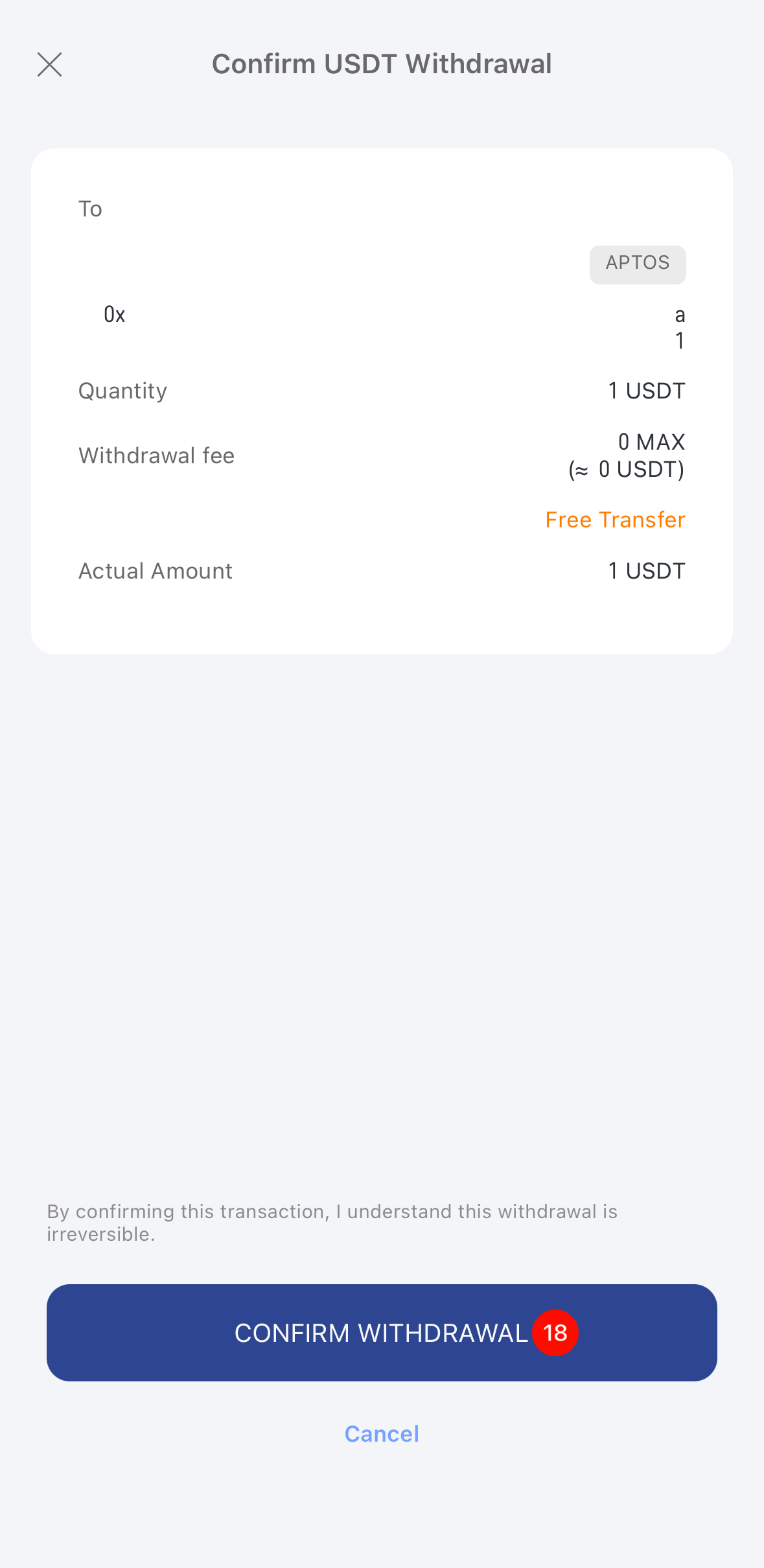
- Tap the address you want to use > enter the withdrawal amount > confirm the amount received > tap Submit > Confirm Withdrawal.
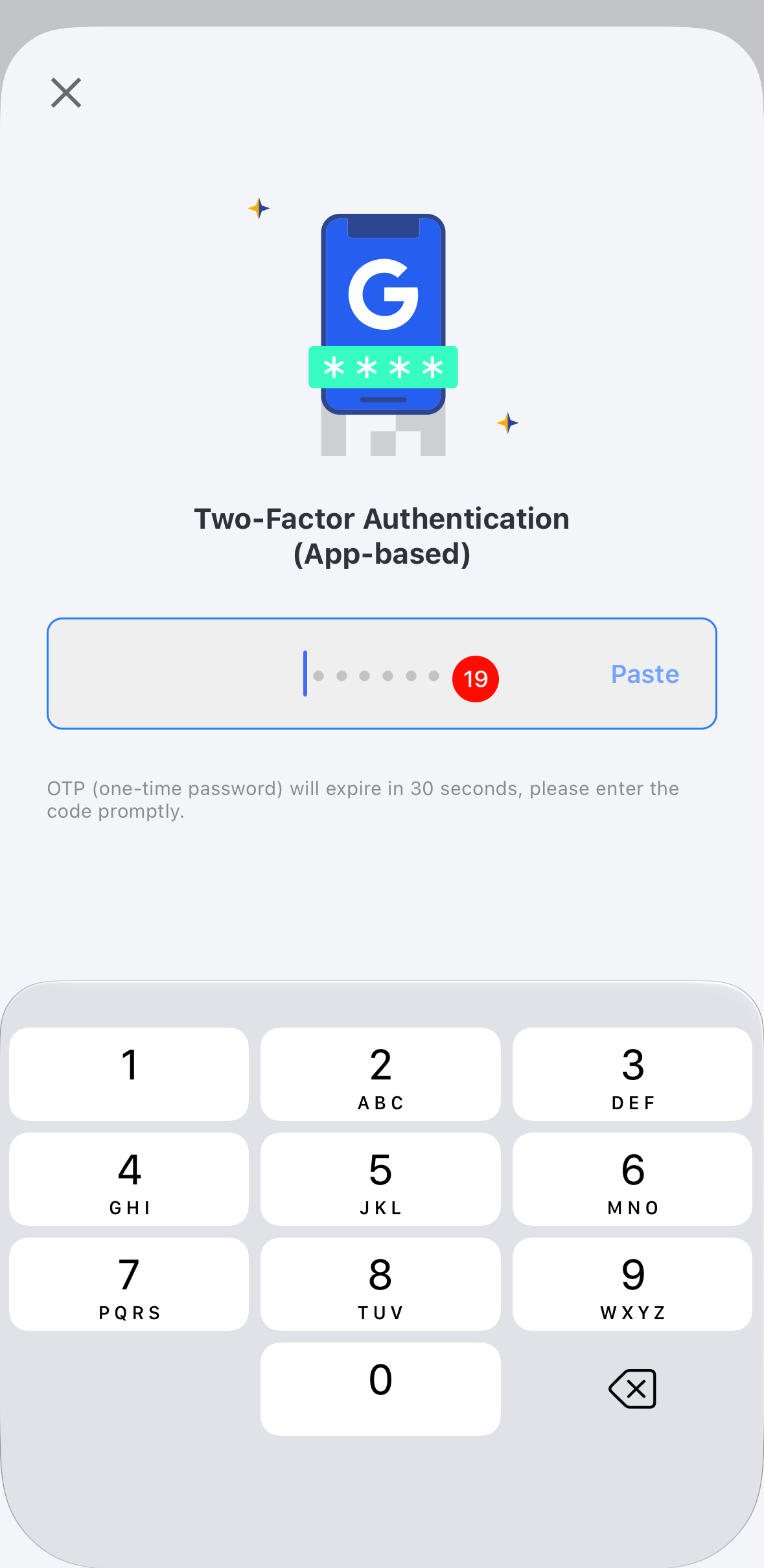
- Review the security notice and tap I Understand. Enter the two-factor authentication code to complete the withdrawal.
 |  |  |
 |  |  |
 |  |  |
 |